








 简体中文
简体中文 English
搜索结果建议
快速链接
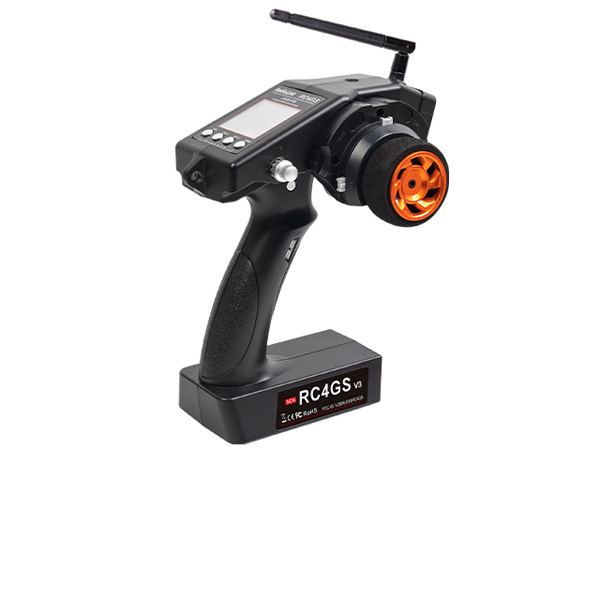
RC4GS V3 Firmwares
(Please upgrade by Windows 7,8,10,11 or XP computer, cannot upgrade by Apple MAC computer)
Latest Firmware
Attention:
If you can not download the files when clicking the mac file above or below, please click the website below to download the files you need.
http://www.radiolink.com.cn/firmware/transmitter/RC4GS V3/
Latest Firmware for RC4GS V3 V686A.mac

Firmware V683A Upgrade Instructions:
Improvement:
1. Changed the “Steering Servo Speed Delay(STSPD)” range to 0.1 s–20 s.
2. Improvement: Changed the “Throttle Speed Delay(THSPD)” range to 0.1 s–20 s.
The firmware of RC4GS V3 do not compatible with RC4GS V2 and RC4GS, if you need upgrade RC4GS V2, please click the link below to download:
https://www.radiolink.com.cn/rc4gsv2_firmware
RC4GS V2, RC4GS cannot upgrade to RC4GS V3 by upgrading the firmware of RC4GS V3. If you need to use the functions of RC4GS V3 but RC4GS V2, RC4GS does not have them, you can participate in the trade-in program.
All users of RadioLink RC3S, RC4G, RC4GS, RC4GS V2, RC6GS, and RC6GS V2 can buy 1 set of RC8X, RC6GS V3, or RC4GS V3 at a special price with the barcode in the battery tray of their transmitters.
The details about RC8X Trade-In can be found by clicking the link below:
https://www.aliexpress.us/item/3256805323650587.html
The details about RC4GS V3, RC6GS V3 Trade-In can click the link below:
https://www.aliexpress.com/item/1005004235821123.html
How to upgrade firmware
1. Identify suitable firmware.
The .mac firmware is compatible with Windows 7,8,10,11, or XP.
2. Download the corresponding firmware
3. Connect your radio to the computer with a USB cable and power the radio on(with a LiPo battery or 6 pieces AA batteries).
4. Copy the latest firmware and paste it into your radio disc.
5. Once finish Step 4, disconnect your radio from the computer and repower it, go to the Language menu to check if the upgrade success.





 简体中文
简体中文- English