






 简体中文
简体中文 English
搜索结果建议
快速链接
T12D FAQ
Q: How to bind different receivers to T16D/T12D?
Q: How to bind different receivers to T16D/T12D?
A: Please follow this tutorial:
Q: How to Connect 2.4G ELRS module to T12D?
Q: How to Connect 2.4G ELRS module to T12D?
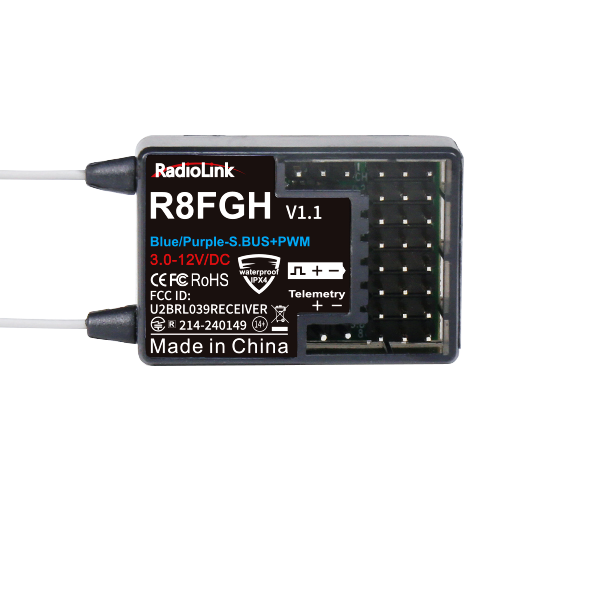
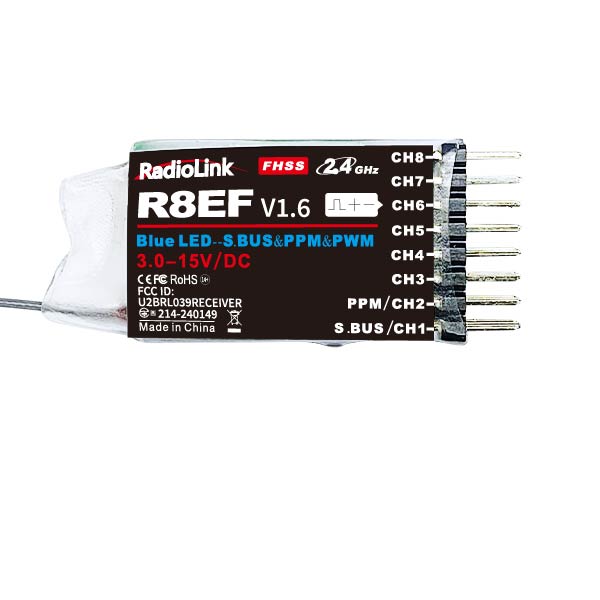
Q: T12D cannot be bound with receivers such as R7FG and R8EF. Why?
Q: T12D cannot be bound with receivers such as R7FG and R8EF. Why?
A: If the receiver cannot be bound to the transmitter, please follow the following methods to troubleshoot the problem:
- Make sure T12D is installed with the latest firmware.T12D latest firmware download link: https://www.radiolink.com/t12d_firmwares
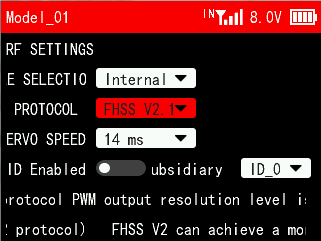
- Enter the menu Receiver Settings -- RF SETTING -- MODULE SELECTION. Make sure you have set Internal for MODULE SELECTION, as shown on the right.
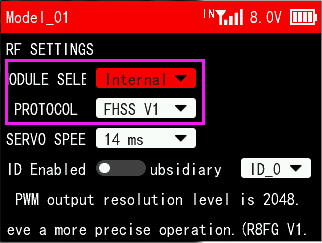
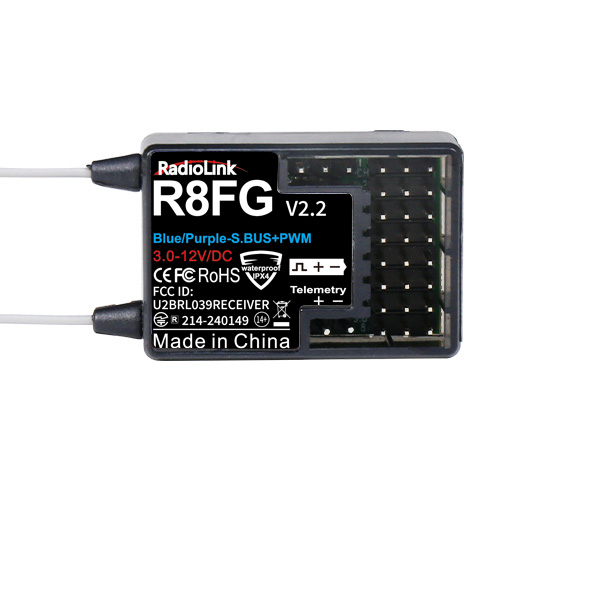
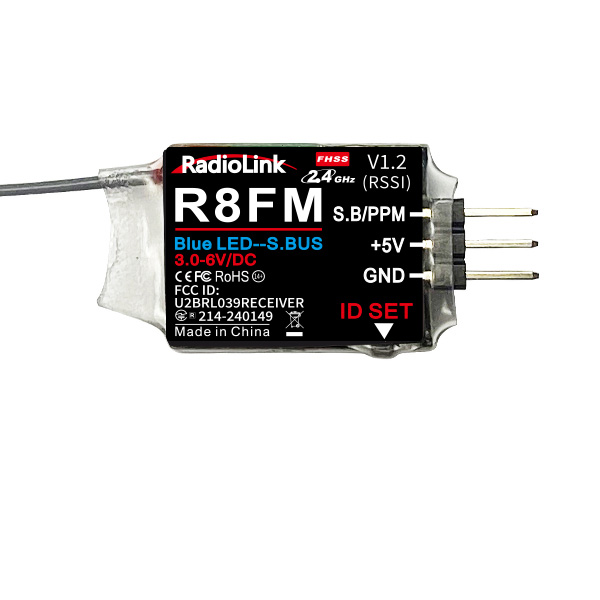
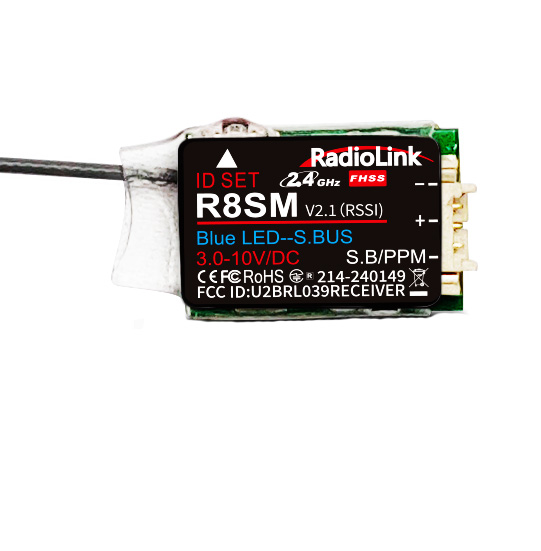
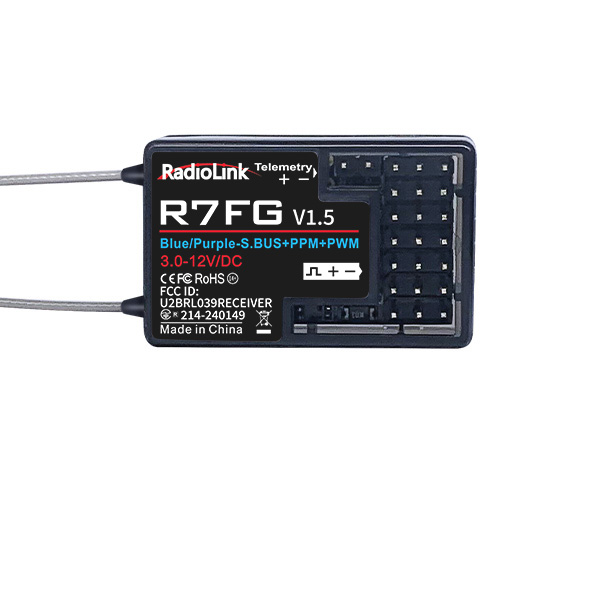
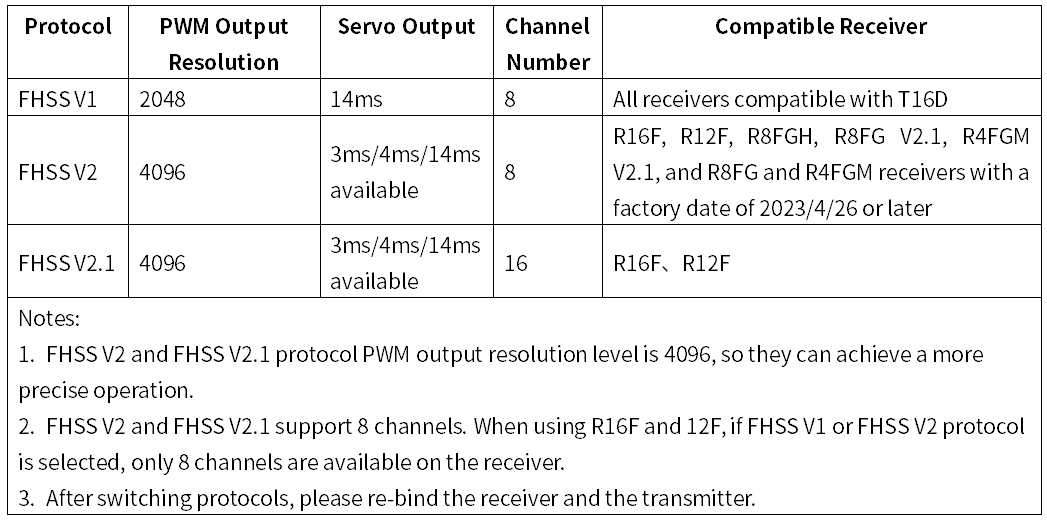
- Enter the menu Receiver Settings -- RF SETTING -- PROTOCOL. Make sure you have selected the correct protocol for your receiver. Receivers such as R7FG and R8EF only support FHSS V1 protocol, as shown on the right. If FHSS V2 or FHSS V2.1 protocol is selected, it cannot be bound to T12D. For details of receiver protocol and compatible receivers, please refer to table below:
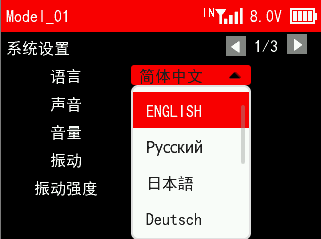
Q: The menu of T12D/T16D is in Chinese. How can I change the menu language from Chinese to English?
Q: The menu of T12D/T16D is in Chinese. How can I change the menu language from Chinese to English?
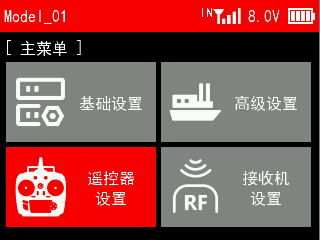
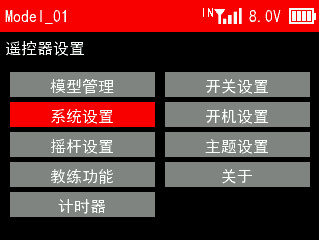
A: Long press Mode button to enter MAIN MENU主菜单, select 遥控器设置--系统设置--语言, and set English. The menu language will be changed into English.
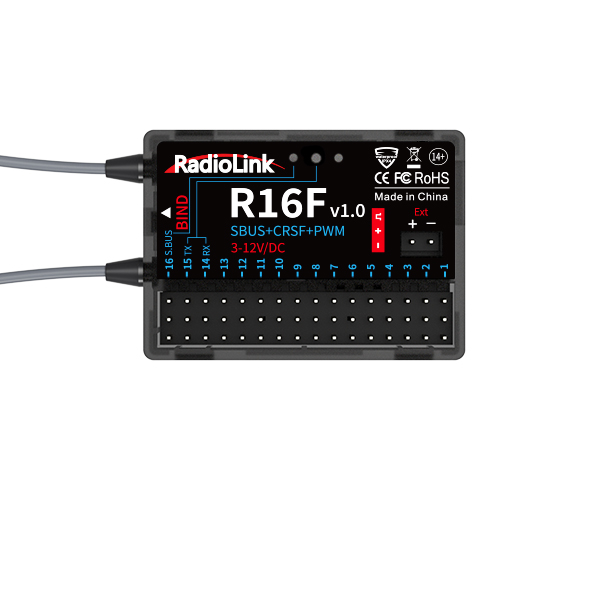
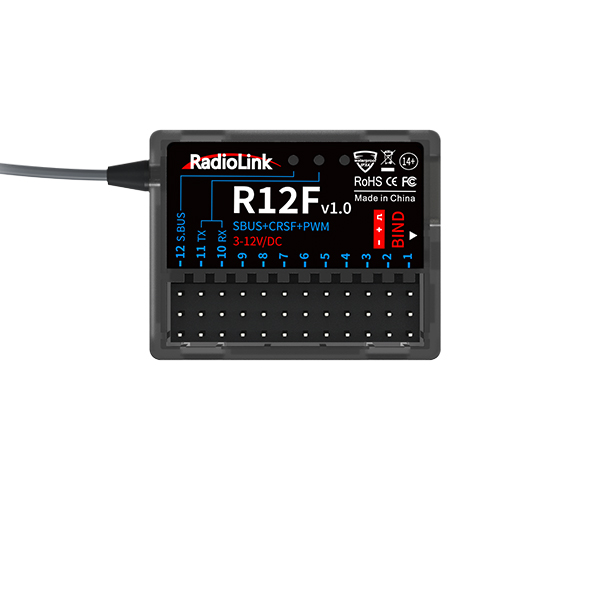
Q: When R16F/R12F is used together with T16D/T12D, only the first 8 channels of the receiver can work well, but the other channels do not work at all. Why?
Q: When R16F/R12F is used together with T16D/T12D, only the first 8 channels of the receiver can work well, but the other channels do not work at all. Why?
A: FHSS V1 and FHSS V2 protocols support 8 channels, but FHSS V2.1 protocol supports 16 channels. When using R16F and 12F, if FHSS V1 or FHSS V2 protocol is selected, only 8 channels are available on the receiver. Please enter MAIN MENU--Receiver Settings--RF SETTINGS--PROTOCOL, and select FHSS V2.1 protocol.
For details of channel number , receiver protocol and compatible receivers, please refer to table below:
Q: How to modify VRC and VRD knobs to prevent them from returning to the center automatically?
Q: How to modify VRC and VRD knobs to prevent them from returning to the center automatically?
A: Remove the springs on these two knobs. The modification will not affect the function, but after removing the springs, the servo value cannot return to 0% automatically. If the slide rod is loose, you can add some damping oil to the plastic round hole shaft.
Here is a tutorial to show how to remove the spring of VRC/VRD knobs on T16D/T12D:
https://www.youtube.com/watch?v=_xuPxbmQWhI
Q: Why there is no servo output displayed on T16D/T12D?
Q: Why there is no servo output displayed on T16D/T12D?
A: Please follow the following steps to troubleshoot the problem:
- Make sure the firmware of your T16D/T12D has been updated to the latest version.
T16D latest firmware download link: https://www.radiolink.com/t16d_firmwares
T12D latest firmware download link: https://www.radiolink.com/t12d_firmwares
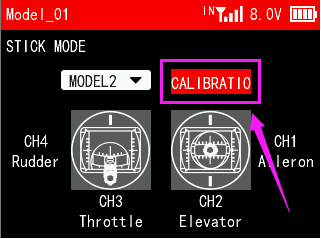
- For transmitters with firmware versions before V1.2.0, after updating the firmware to V1.2.0 and later, please calibrate the joystick. Enter the menu Transmitter Settings--STICK MODE to calibrate the joysticks. Here is the tutorial of joystick calibration:
https://www.youtube.com/watch?v=8txnY0JfuB8
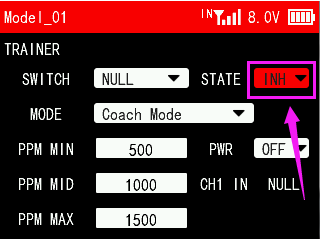
3. Enter the menu Transmitter Settings--TRAINER. Check if the trainer function is turned on. Once the trainer function is turned on, two transmitters are required to be used together. One for output and the one for input. If the trainer function is turned on but the trainer cable or the other transmitter is not connected, there will be no servo output displayed on T16D/T12D.
Q: Why there is no PWR option on TRAINER menu of T16D/T12D?
Q: Why there is no PWR option on TRAINER menu of T16D/T12D?
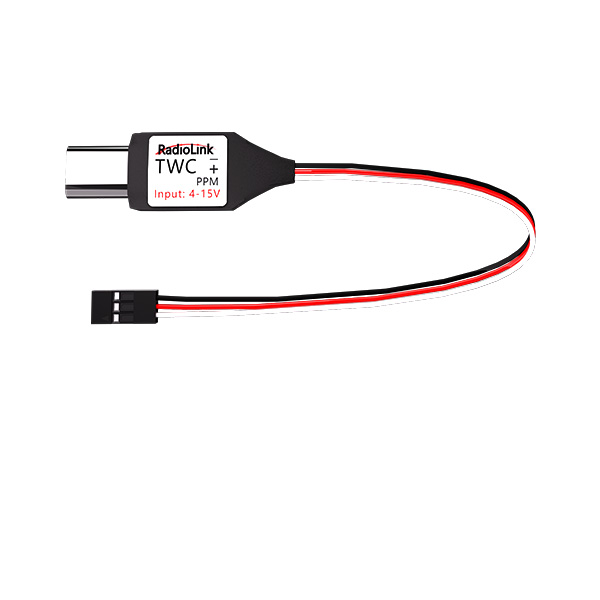
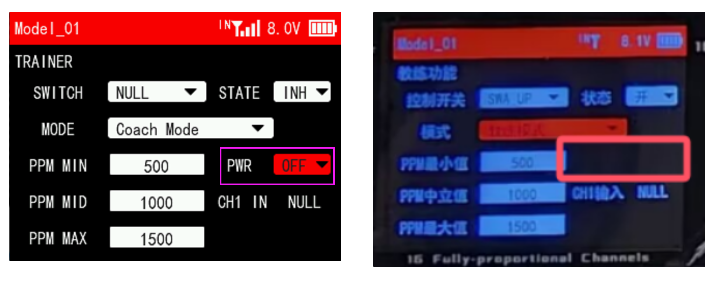
A: T12D with hardware V1.0.2 or above has PWR option on TRAINER menu. PWR is needed when T12D works as a trainer transmitter and a Type-C wireless trainer cable is used. For more details, please refer to the link of T12D trainer function setting methods: https://www.radiolink.com/newsinfo/955662.html
\
Q: The VR knobs of T12D is not responding at all. How to fix it?
Q: The VR knobs of T12D is not responding at all. How to fix it?
A: Please follow the below tutorial to calibrate T16D/T12D. It shows how to calibrate the VR knobs. https://www.youtube.com/watch?v=8txnY0JfuB8
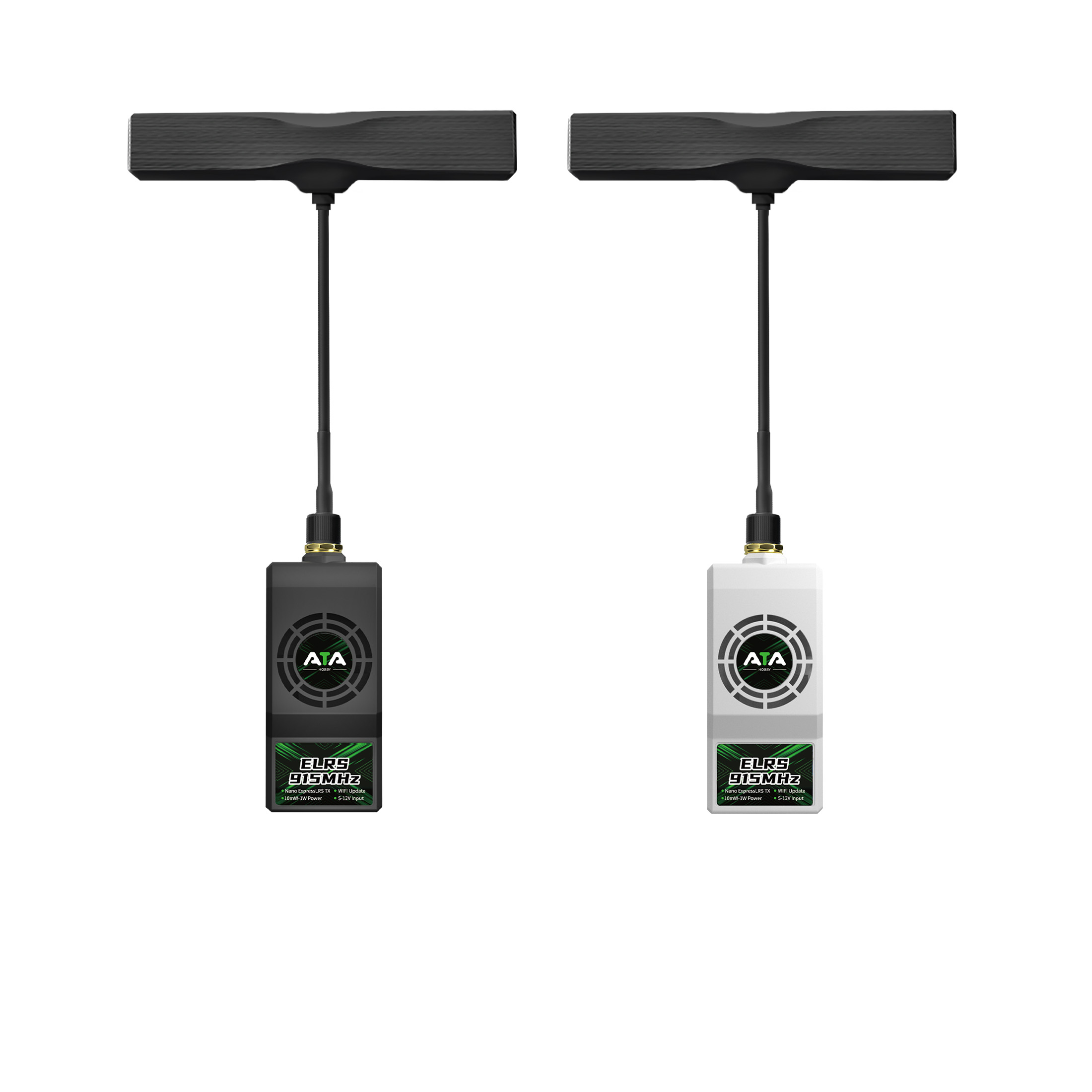
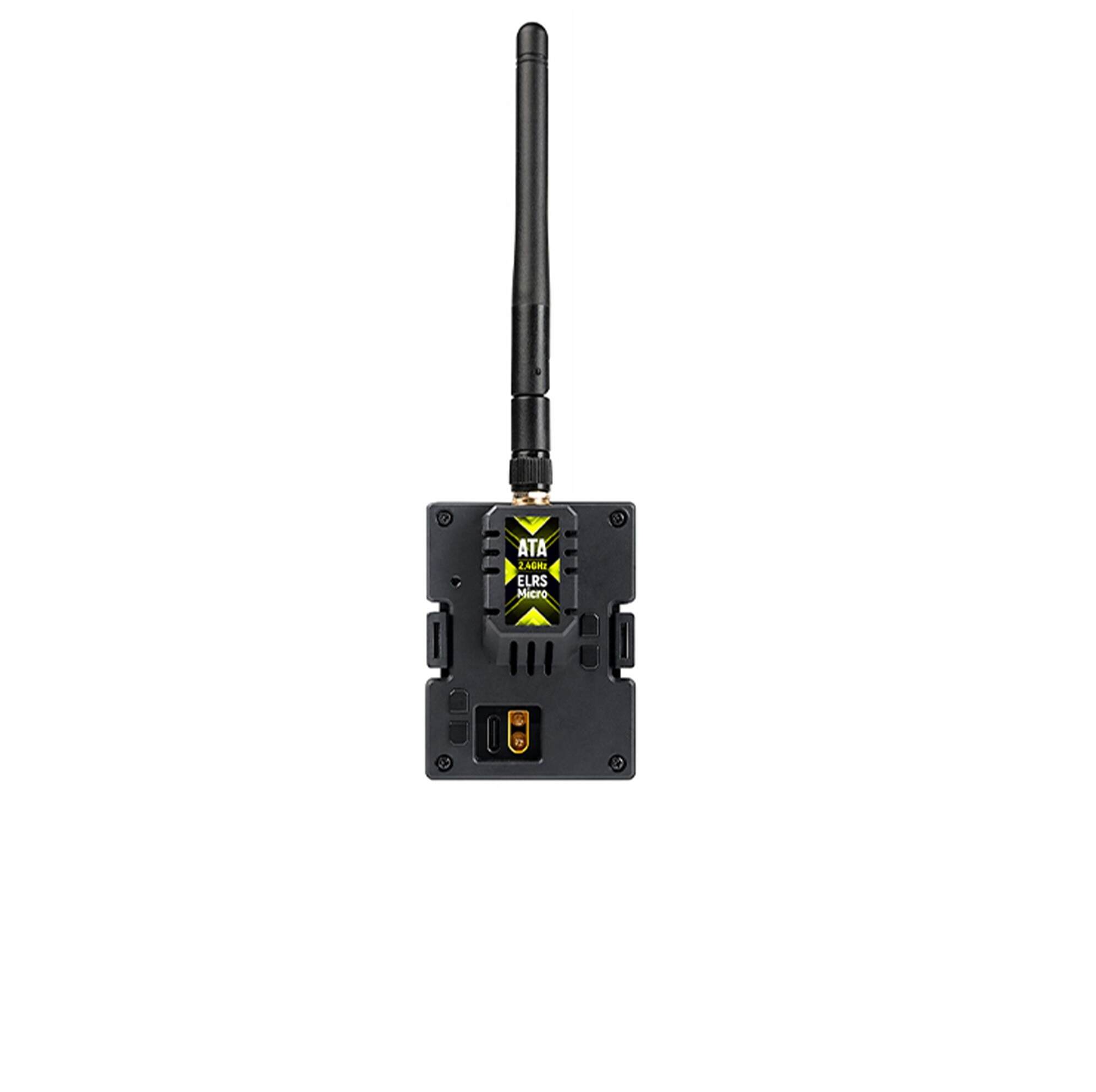
Q: Why there is no telemetry information such as signal strength and receiver voltage after T16D/T12D is connected to ATA ELRS module?
Q: Why there is no telemetry information such as signal strength and receiver voltage after T16D/T12D is connected to ATA ELRS module?
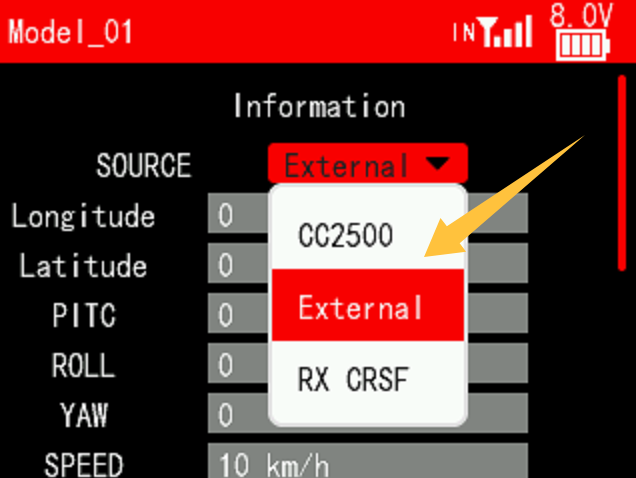
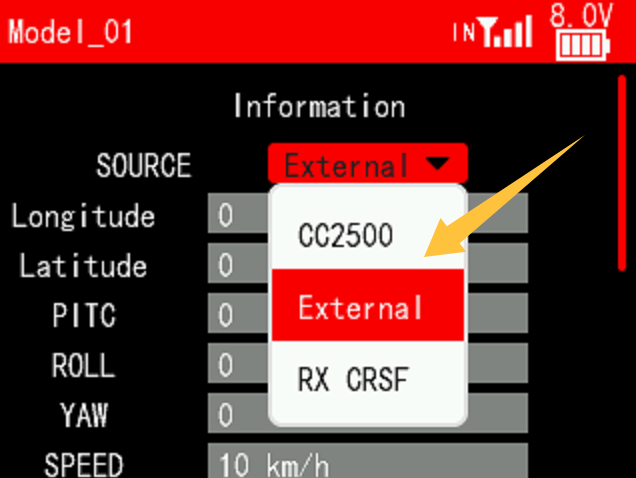
A: Please select External on the telemetry information menu of T16D/T12D:
Q: Why there is no servo output displayed on T16D/T12D?
Q: Why there is no servo output displayed on T16D/T12D?
A: Please follow the following steps to troubleshoot the problem:
- Make sure the firmware of your T16D/T12D has been updated to the latest version. T16D latest firmware download link: https://www.radiolink.com/t16d_firmwares T12D latest firmware download link: https://www.radiolink.com/t12d_firmwares
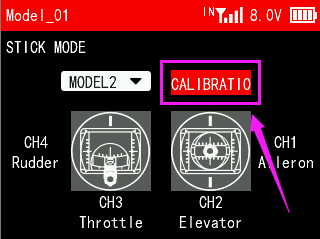
- For transmitters with firmware versions before V1.2.0, after updating the firmware to V1.2.0 and later, please calibrate the joystick. Enter the menu Transmitter Settings--STICK MODE to calibrate the joysticks. Here is the tutorial of joystick calibration:
https://www.youtube.com/watch?v=8txnY0JfuB8
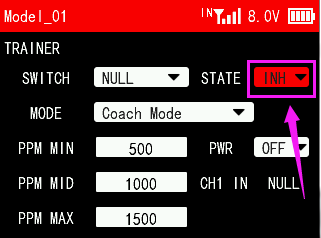
3. Enter the menu Transmitter Settings--TRAINER. Check if the trainer function is turned on. Once the trainer function is turned on, two transmitters are required to be used together. One for output and the one for input. If the trainer function is turned on but the trainer cable or the other transmitter is not connected, there will be no servo output displayed on T16D/T12D.
Q: Why there is no PWR option on TRAINER menu of T16D/T12D?
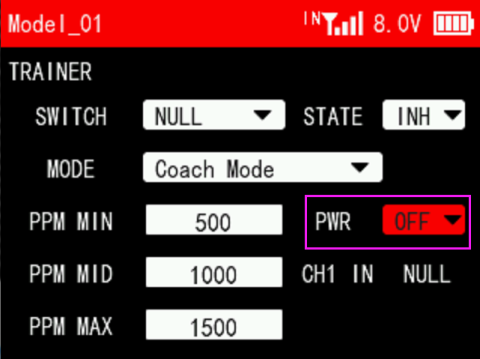
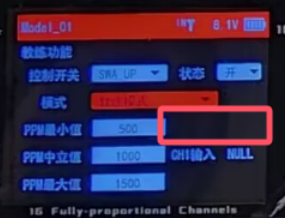
Q: Why there is no PWR option on TRAINER menu of T16D/T12D?
A: T16D/T12D with hardware V1.0.2 or above has PWR option on TRAINER menu. PWR is needed when T16D/T12D works as a trainer transmitter and a Type-C wireless trainer cable is used. For more details, please refer to the link of T16D/T12D trainer function setting methods:
Q: The VR knobs of T16D/T12D is not responding at all. How to fix it?
Q: The VR knobs of T16D/T12D is not responding at all. How to fix it?
A: Please follow the below tutorial to calibrate T16D/T12D. It shows how to calibrate the VR knobs.
Q: Is it possible to add switches on T12D to expand the transmitter from 12 to 16 channels?
Q: Is it possible to add switches on T12D to expand the transmitter from 12 to 16 channels?
A: No. T12D and T16D have different mainboards and chips. So T12D cannot flash the firmware of T16D. It cannot be updated to 16-channel transmitter.
Here is the comparison of T12D and T16D:
Q: After connecting ELRS module to T16D/T12D, click the options of WiFi Connectivity and the screen goes black. Why?
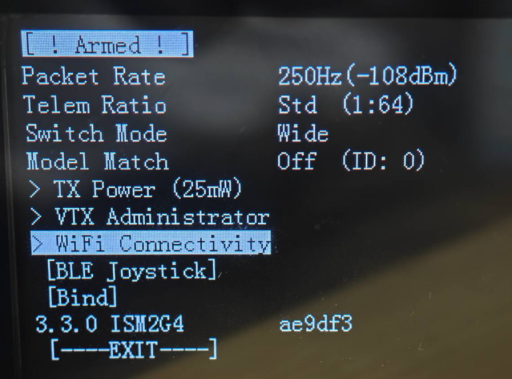
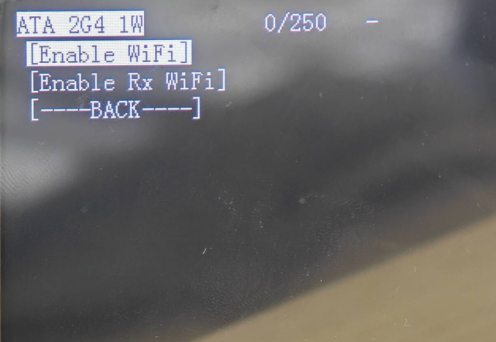
Q: After connecting ELRS module to T16D/T12D, click the options of WiFi Connectivity and the screen goes black. Why?
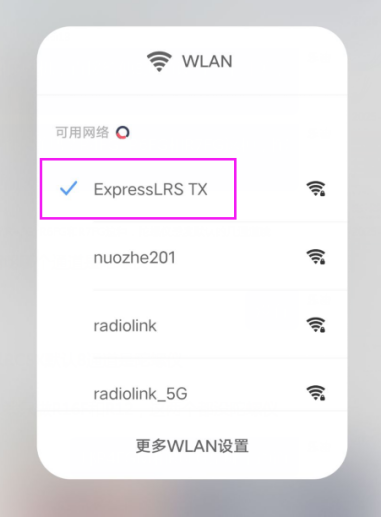
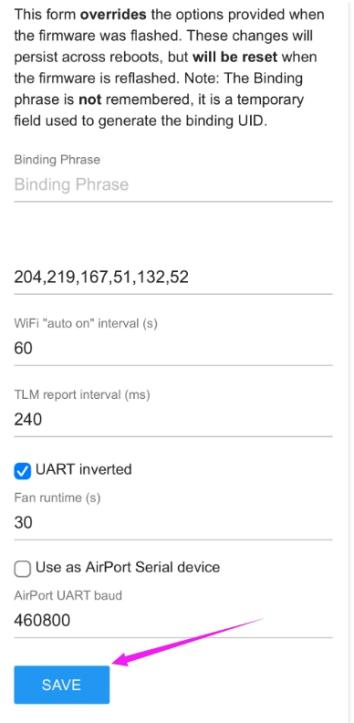
A: It is normal that the screen goes black at this time. WiFi Connectivity allows the mobile phone to connect to the WiFi of ELRS module or ELRS receiver and modify the parameters. After clicking the WiFi Connectivity option, check the WiFi on your mobile phone and you can see "ExpressLRS TX" or "ExpressLRS RX" . Connect it and your phone will automatically jump to the browser interface (If it does not jump automatically, click the WiFi manually, and then enter the password expresslrs to connect it). After modifying the parameters, click Save. Exit the script on the transmitter, and the screen will return to normal.
Q: Can I make the screen background white and the numbers/letters black on T16D/T12D?
Q: Can I make the screen background white and the numbers/letters black on T16D/T12D?
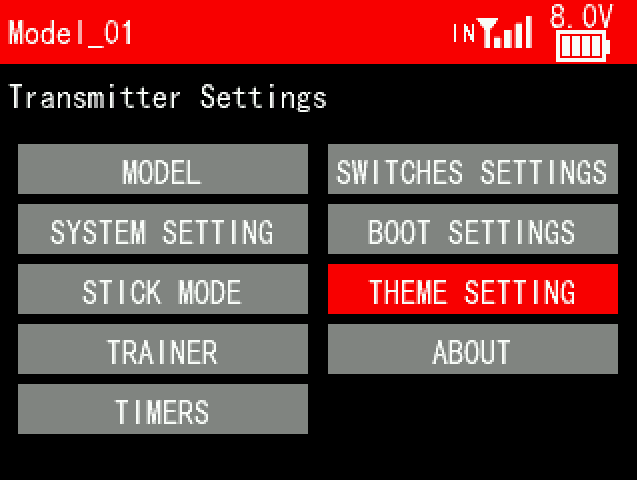
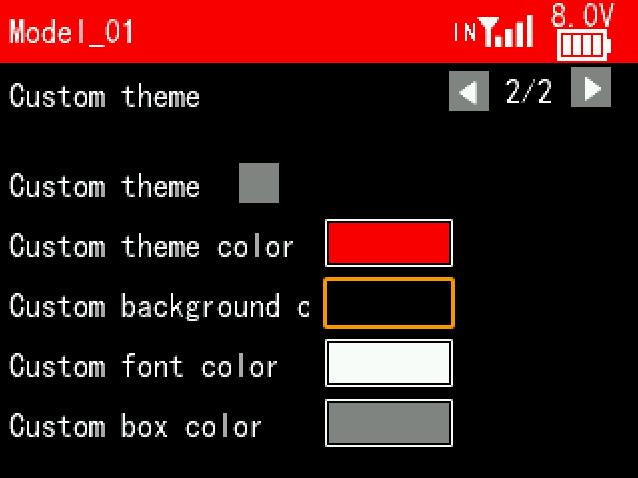
A: Yes. Users can customize the theme color, background color, font color and box color on T16D/T12D. Enter Transmitter Settings--THEME SETTING. Users can set the white background and black fonts here.
Q: Why there is no telemetry information such as signal strength and receiver voltage after T16D/T12D is connected to ATA ELRS module?
Q: Why there is no telemetry information such as signal strength and receiver voltage after T16D/T12D is connected to ATA ELRS module?
A: Please select External on the telemetry information menu of T16D/T12D:
Q: How to supply power to the receiver without using the ESC?
Q: How to supply power to the receiver without using the ESC?
A: Please follow this tutorial:
Q: How to restore customized model settings on T16D/T12D?
Q: How to restore customized model settings on T16D/T12D?
A: Please follow this tutorial:
Q: How to restore customized model settings on T16D/T12D?
Q: How to restore customized model settings on T16D/T12D?
A: Please follow this tutorial:
Q: How to customize the stick mode/switch/knob on T16D/T12D?
Q: How to customize the stick mode/switch/knob on T16D/T12D?
A: Please follow this tutorial:
Q: How to play simulator with T12D?
Q: How to play simulator with T12D?
A: You can use a dongle to connect T12D to the computer to play simulator. Here is a related tutorial:
https://www.youtube.com/watch?v=T0qnk0sON6M
If you don’t have any dongle, you can use the built-in simulator function. Here is a related tutorial:
Q: How to set up an excavator on T12D?
Q: How to set up an excavator on T12D?
Q: How to play simulator with R12F receiver?
Q: How to play simulator with R12F receiver?
A: R12F supports built-in simulator function. You can connect R12F to the computer with a Type-C cable to play simulator. Here is a related tutorial:
https://www.youtube.com/watch?v=1Gh5ZhDTZ5o
Q: How to adjust the throttle to be self-centered on T16D/T12D?
Q: How to adjust the throttle to be self-centered on T16D/T12D?
A: Please follow this tutorial:
Q: How to set T16D/T12D to control SU27?
Q: How to set T16D/T12D to control SU27?
A: Please follow this tutorial:
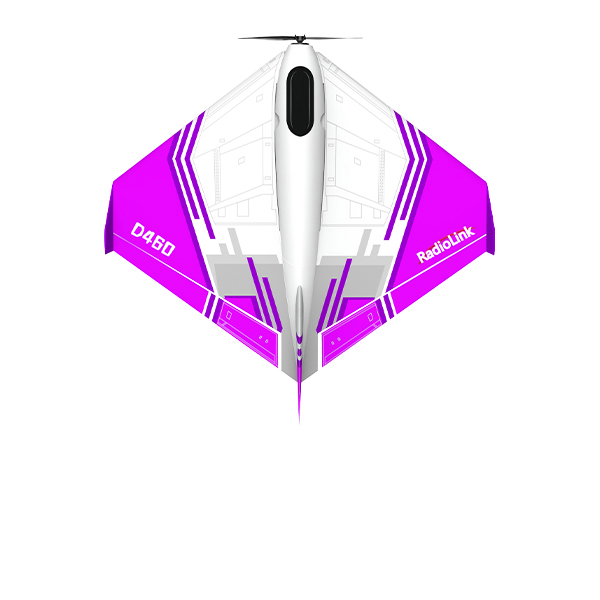
Q: How to set T16D/T12D to control D460?
Q: How to set T16D/T12D to control D460?
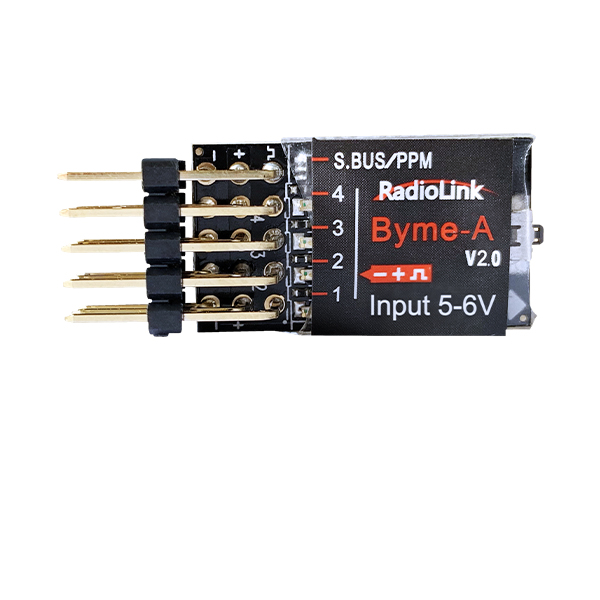
Q: How to set T16D/T12D to control A560/Byme-A?
Q: How to set T16D/T12D to control A560/Byme-A?
Q: How to test RSSI with T12D transmitter and receivers?
Q: How to test RSSI with T12D transmitter and receivers?
A: Please follow this tutorial:
Q: How to set the trainer function with T12D?
Q: How to set the trainer function with T12D?
A: You can use wireless trainer cable or trainer cable.
Here is a tutorial to show how to set the trainer function of T12D with a trainer cable:
https://www.youtube.com/watch?v=94QLrIdn1-U
https://www.youtube.com/watch?v=gvVRsbHsXxs
Here is a tutorial to show how to set the trainer function of T12D with a wireless trainer cable:
Q: How to set END POINTS function of T16D/T12D?
Q: How to set END POINTS function of T16D/T12D?
A: Please follow this tutorial:
Q: How to get the telemetry information of the flight controller on the screen of T16D/T12D?
Q: How to get the telemetry information of the flight controller on the screen of T16D/T12D?
Q: How to set PROG.MIX function of T16D/T12D?
Q: How to set PROG.MIX function of T16D/T12D?
A: Please follow this tutorial:
Q: How to set Subsidiary ID function of T16D/T12D?
Q: How to set Subsidiary ID function of T16D/T12D?
Q: How to bind R12F to the transmitter how to switch the working modes of R12F?
Q: How to bind R12F to the transmitter how to switch the working modes of R12F?
Q: How to update the firmware of R12F receiver?
Q: How to update the firmware of R12F receiver?
A: Please refer to the below tutorial:
Q: How to set Throttle Hold function of T16D/T12D?
Q: How to set Throttle Hold function of T16D/T12D?
A: Please follow this tutorial:
Q: How to update the firmware of T12D?
Q: How to update the firmware of T12D?
A: Please follow this tutorial:
Q: How to set Timer function of T16D/T12D?
Q: How to set Timer function of T16D/T12D?
A: Please follow this tutorial:
Q: How to change the stick mode of T16D/T12D?
Q: How to change the stick mode of T16D/T12D?
Q: How to set Switch Setting function of T16D/T12D?
Q: How to set Switch Setting function of T16D/T12D?
Q: How to set Condition function of T16D/T12D?
Q: How to set Condition function of T16D/T12D?
A: Please follow this tutorial:
Q: How to calibrate the joystick of T16D/T12D?
Q: How to calibrate the joystick of T16D/T12D?
Q: Can you introduce the home screen of T16D/T12D?
Q: Can you introduce the home screen of T16D/T12D?
Q: Can you introduce the System setting of T16D/T12D?
Q: Can you introduce the System setting of T16D/T12D?
A: Here is a related tutorial:
Q: How to restore customized model settings on T16D/T12D?
Q: How to restore customized model settings on T16D/T12D?
A: Please follow this tutorial:
Q: How to transfer models between two T12D Transmitters?
Q: How to transfer models between two T12D Transmitters?
A: Please refer to the below tutorial:





 简体中文
简体中文- English