How to Set Head Tracking Function of RC6GS V2
1. The function of Head Tracking
Fully enjoy the FPV Crawl time by using the RC6GS V2 to control the pan and tilt of FPV goggles from far away.
2. Devices
RadioLink transmitter RC6GS V2
RadioLink receiver R7FG
SKYZONE 02C FPV goggles
The connecting cable of SKYZONE 02C FPV goggles
Two servos
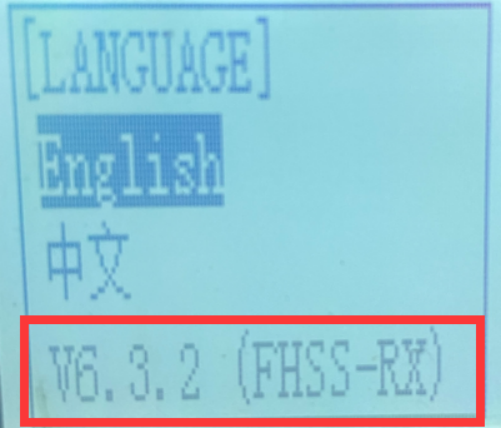
Note: The default firmware of RadioLink transmitter RC6GS V2 is V6.1.0. Users need to upgrade it to V6.3.2 to realize head tracking function.

3. Connection Method
1) Power on RadioLink transmitter RC6GS V2 and FPV goggles. Long-press the power button of FPV goggles. After hearing a D sound, the goggles are powered on.
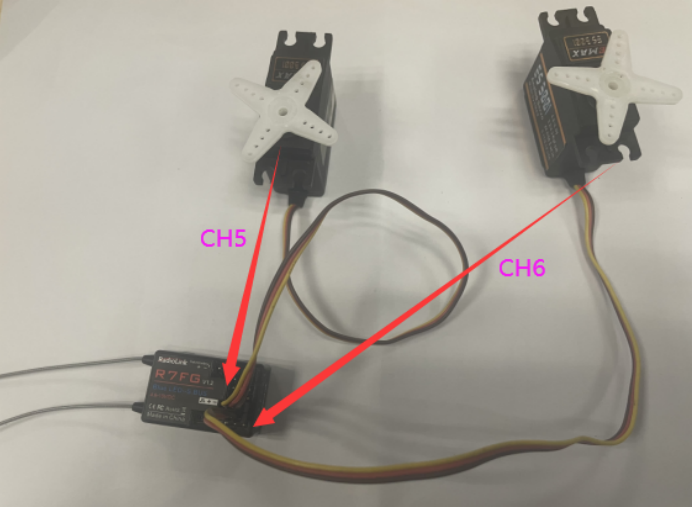
2) Plug pan servo into channel 5 of the receiver R7FG and plug tilt servo into channel 6.

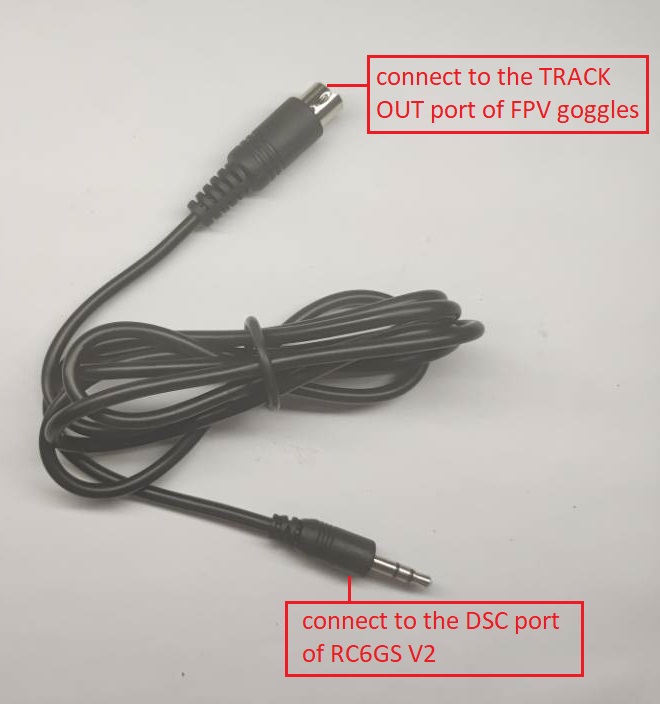
3)Connect RadioLink transmitter RC6GS V2 and FPV goggles with the connecting cable. Plug one end of the cable into the simulator port of the transmitter RC6GS V2, which is called DSC. And plug the other end into the head tracker data port of FPV goggles, which is called TRACK OUT.

4) Power on the receiver.
Note: the working voltage of receiver R7FG is from 3.0V-12V, but if the working voltage of the servo is 5V, the power supply of the receiver should not be higher than 5V.
4. Setting Method
1) Don’t need to set any parameters in RadioLink transmitter RC6GS V2.
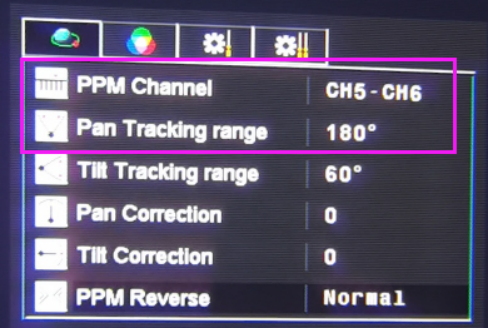
2) Channel 5 of the FPV goggles defaults to control pan servo, and channel 6 defaults to control tilt servo.
3) Pan and tilt tracking range defaults to 90 degrees. Users can set pan tracking range in the menu, which is from 90 to 180 degrees. The tilt tracking ranges from 60 to 120 degrees.
4) How to set: long press TRACK to enter the setting menu. Users can set PPM channel and pan/tilt tracking range. For more information about setting, please check the instruction manual of FPV goggles
http://site.hobby-wing.com/images/Manual/Skyzone-SKY02-FPV-3D-AIO-Goggles-manual-EN.pdf

5. Test method
After connection and setting, have a test first.
Move the FPV goggles to left or right, the pan servo moves to left or right.
Move the FPV goggles up or down, and the tilt servo moves the same way.
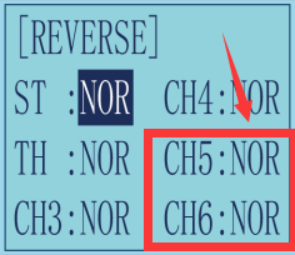
Note: If the direction of the servo is opposite to the goggles. Go to the menu of the transmitter.
Setting steps as below:
Into REVERSE menu- set channel 5/6 to Normal/Reverse.